How Restaurants Use QR Codes Beyond the Menu
When people think of QR codes in restaurants, they picture a small sticker on the table that opens a PDF menu. That's useful, but it barely scratches the surface of what QR codes can do for a restaurant.
From collecting customer feedback to promoting special events, QR codes can quietly improve the way a restaurant operates — without adding complexity for staff or friction for guests.
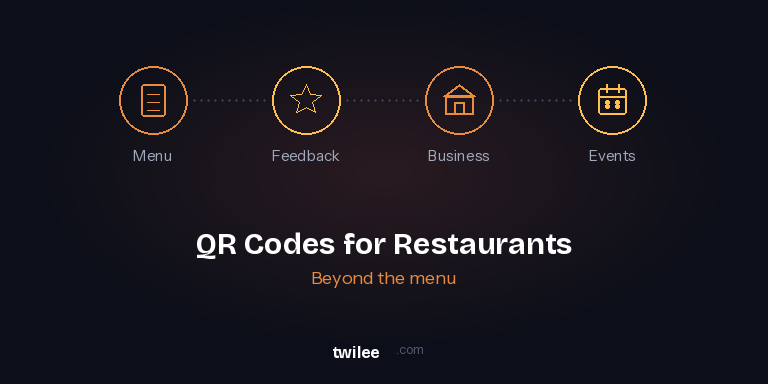
Here are four ways restaurants are using Twilee to go far beyond the digital menu.
1. A menu that's always up to date
Let's start with the obvious one — but done right. Most restaurants print a static QR code that links to a fixed PDF. The problem? Every time you change a price, remove a dish, or add a seasonal special, you need to upload a new file and hope the link still works.
With Twilee, you create a dynamic QR code and upload your menu as a PDF. When something changes, you simply replace the file. The QR code stays the same — no reprinting table tents, no broken links. Your guests always see the latest version.
This is especially useful for restaurants with rotating menus, daily specials, or multi-language offerings. Upload a new file in seconds and every table in the room is instantly up to date.
Learn more about File QR codes →
2. Collect real feedback — not just Google reviews
You know the moment: a guest finishes their meal, the server asks "Was everything okay?", and the answer is always "Yes, great." Even when it wasn't.
A QR code on the table or on the receipt that links to a short survey changes the dynamic entirely. Guests can share honest feedback privately — about the food, the service, the wait time, the atmosphere — without an awkward face-to-face conversation.
With Twilee's Survey QR codes, you can build quick questionnaires using single choice, multiple choice, rating scales, and free text questions. Responses come in live, with visual analytics and the option to export everything to CSV or Excel for deeper analysis.
Place the QR code on table tents, on the bill holder, or near the exit. You'll quickly spot patterns — maybe lunch service scores lower than dinner, or a specific dish keeps getting flagged. That's the kind of insight that drives real improvement.
3. Give customers everything they need in one scan
Your restaurant's phone number is on Google. Your hours are on your website. Your Instagram is in your bio. Your address is on your flyer. That's four different places a customer has to look to find basic information.
A Twilee Business QR code brings it all together in one professional, mobile-optimized page. Your logo, opening hours, address with map integration, phone number (one tap to call), email, website, and all your social media links — accessible with a single scan.
Put it on your business card, on the window, on your takeaway bags, or on the back of your paper menu. When a customer scans it, they get everything they need to find you, contact you, or follow you. And because it's a dynamic QR code, you can update your hours for holidays or add a new social profile without touching the printed code.
4. Promote special events and fill seats
Wine tasting evening. Live music on Friday. A special Valentine's Day menu. Cooking class next month. Restaurants run events all the time, but promoting them effectively is hard — especially to people who are already in the building.
With Twilee's Event QR codes, you create a beautiful hosted event page with the title, date, time, venue, description, and links. Guests scan the QR code from a table card or a poster near the entrance and instantly see all the details. One tap and the event is in their Google, Apple, or Outlook calendar.
The QR code can go on your printed menu, at the checkout counter, or on social media. Since it's dynamic, you can reuse the same printed code for your next event — just update the content on Twilee.
You also get scan analytics to see how many people viewed the event page, which helps you gauge interest and plan capacity.
One platform, four use cases
The beauty of using Twilee for all of this is that everything lives in one place. Your menu QR code, your feedback survey, your business page, and your event promotion — all managed from the same dashboard, all trackable, all updatable without reprinting.
And because Twilee's QR codes are dynamic, you can start with one use case today and expand as your needs grow. The code on your table never changes — but what it does can evolve with your restaurant.