Scale your QR code management
Powerful Bulk Operations
Save time and effort with powerful bulk operations. Import QR codes in bulk, apply visual customizations across multiple codes at once, and export print-ready images in your preferred format.
Bulk QR Code Import
Create hundreds of QR codes in seconds using CSV import. Perfect for large-scale campaigns, product launches, or migrating from another platform.
- Upload a CSV file with all your QR code data
- All imported codes are assigned to a tag for easy organization
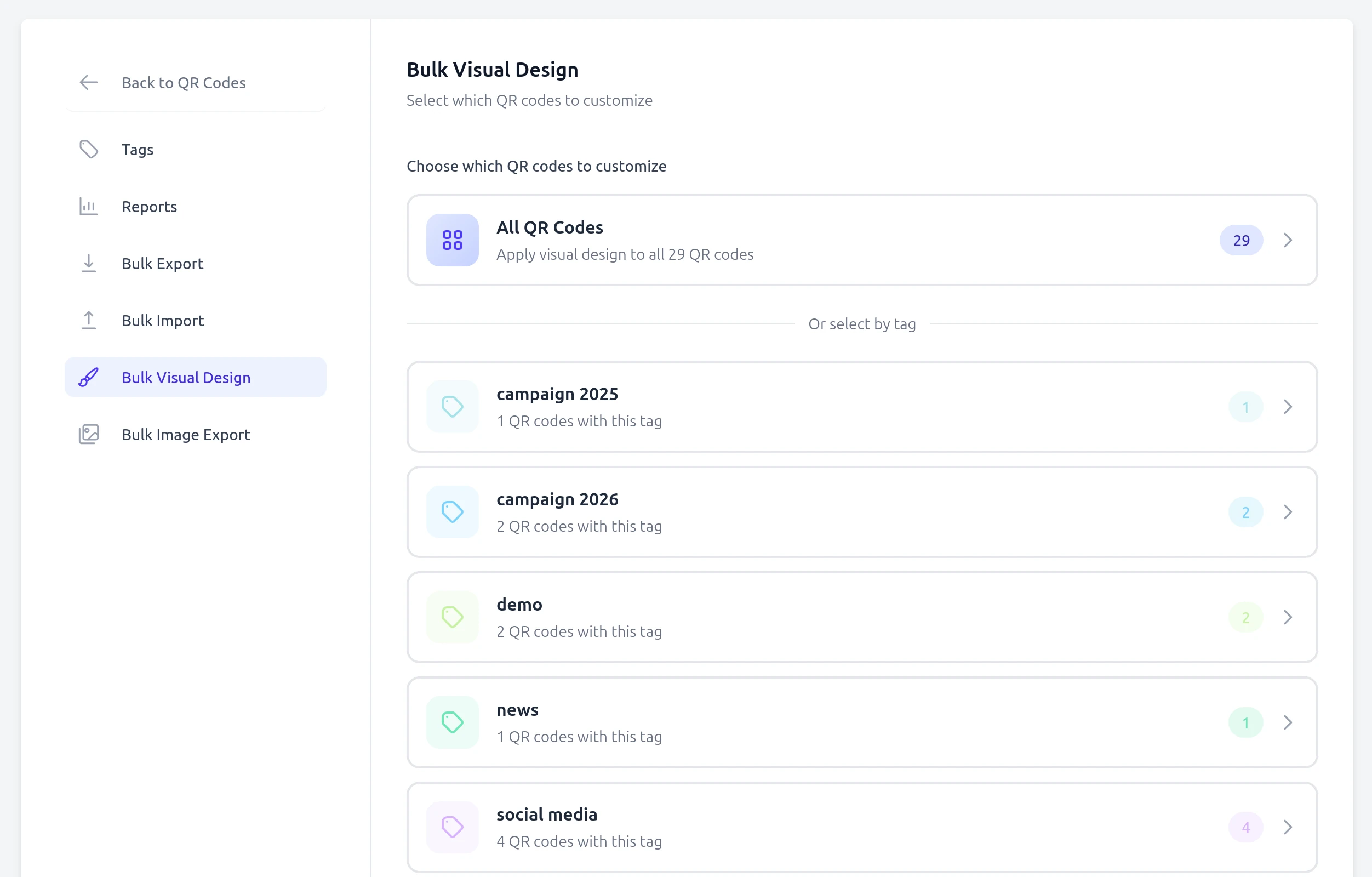
Bulk Visual Customization
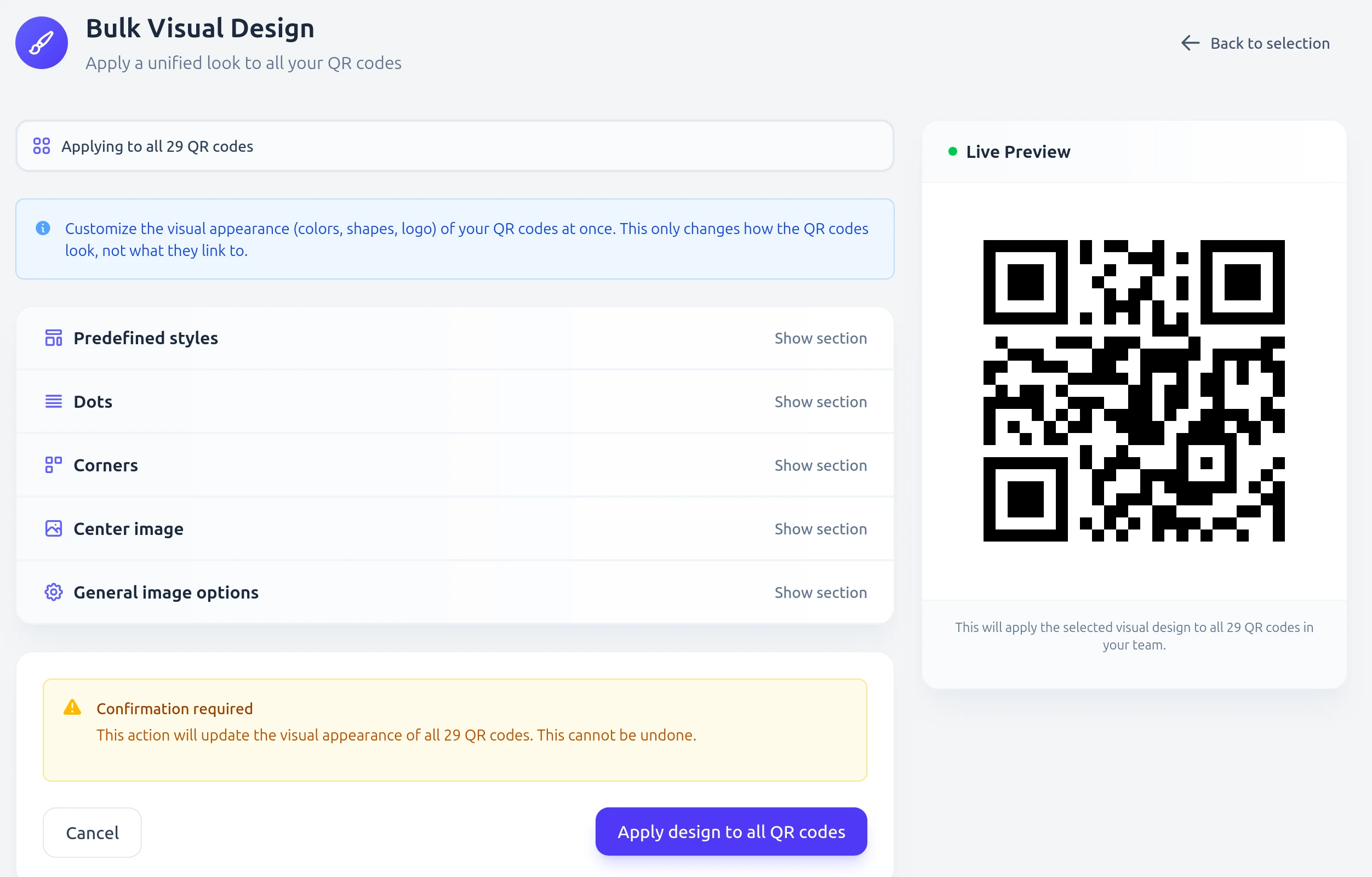
Apply consistent branding across all your QR codes at once. Change colors, add logos, and customize styles without editing each code individually.
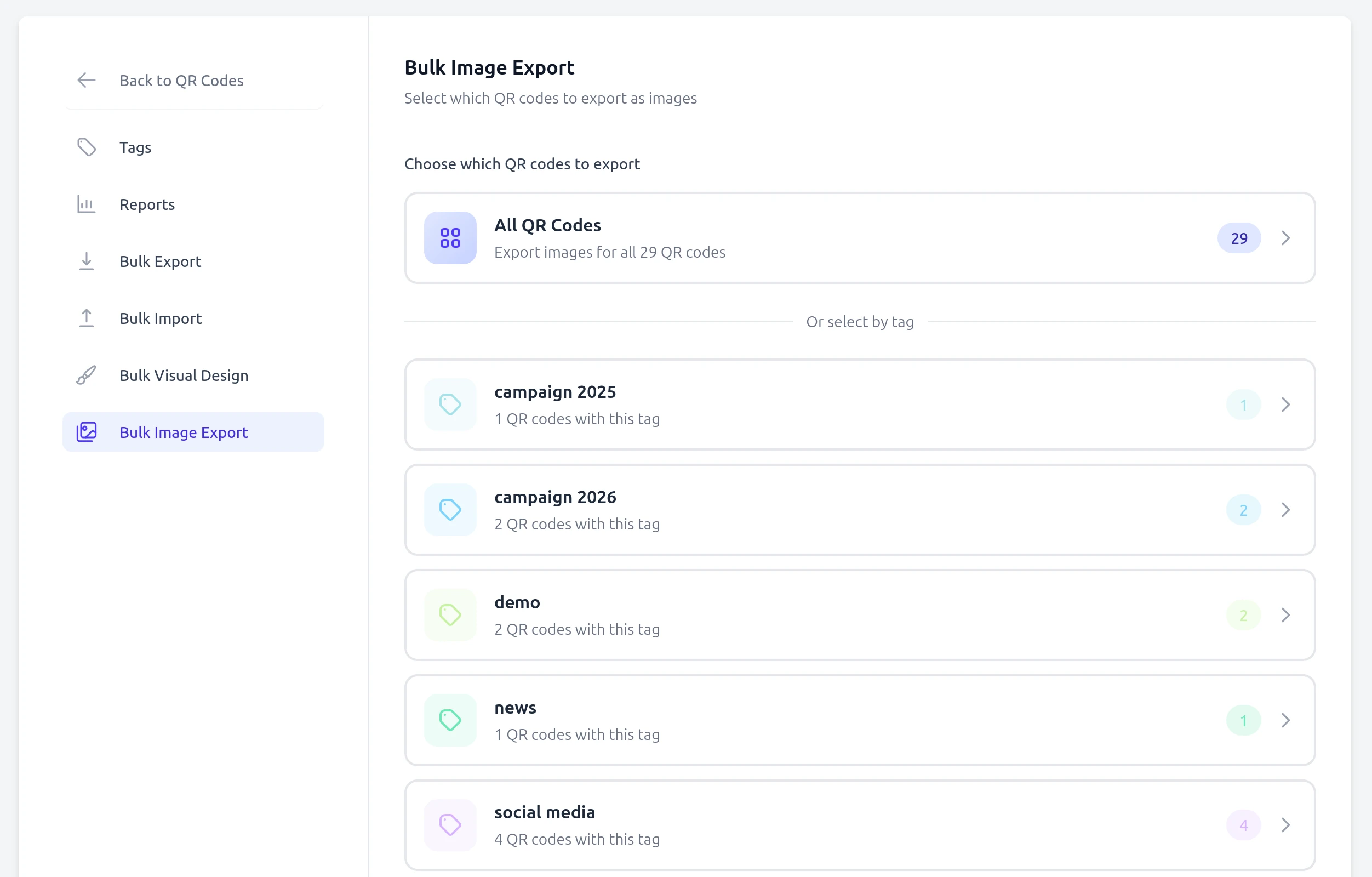
- Select QR codes by tag or choose all at once
- Apply the same visual style to hundreds of codes
- Preview changes before applying them
Bulk Image Export
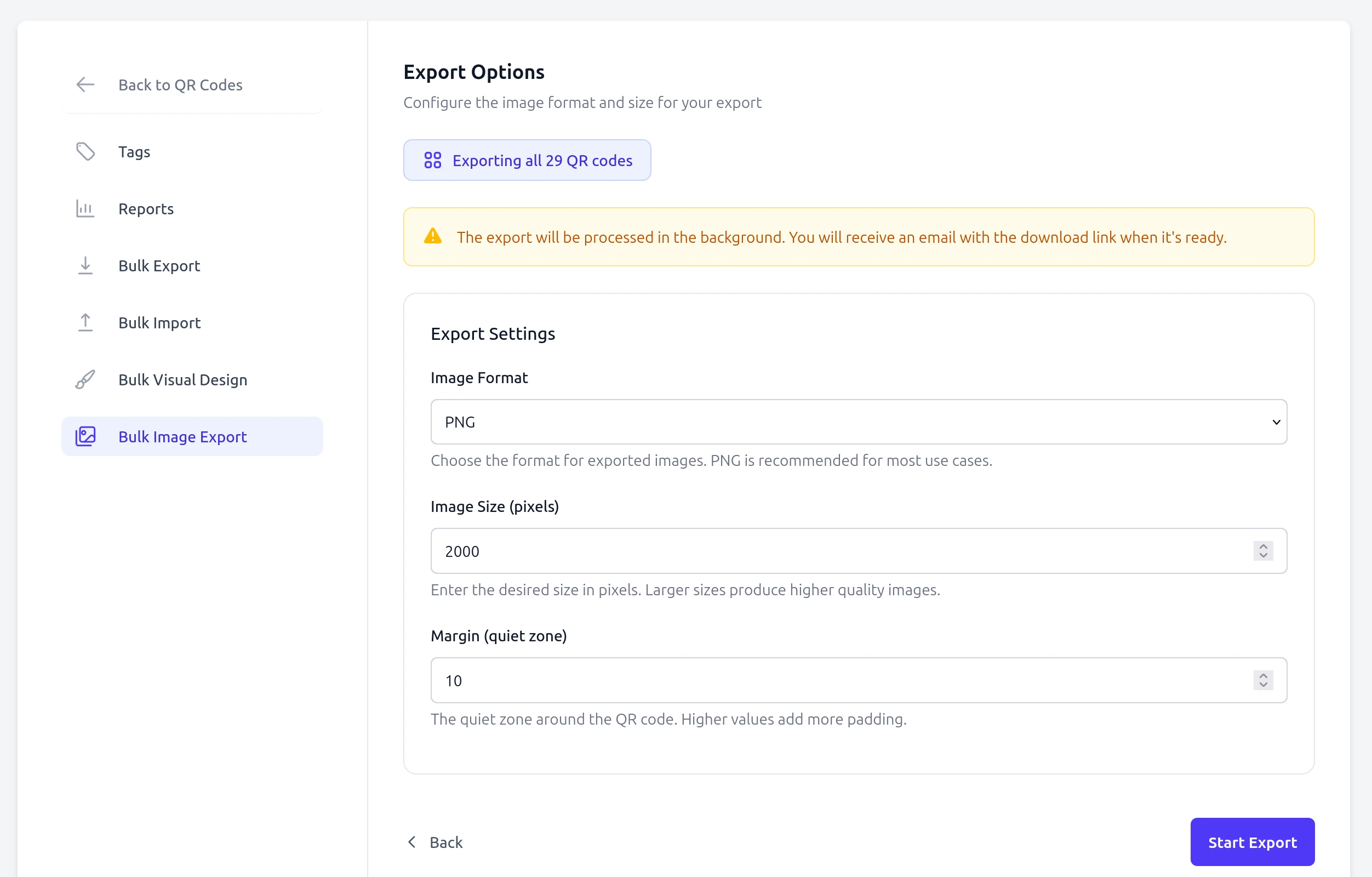
Download all your QR code images in a single ZIP file. Choose your preferred format, size, and margins for print-ready files.
- Export to PNG, JPG, WebP, or SVG formats
- Customize image size and margins
- Download as a convenient ZIP archive
How it works
- Select your QR codes
- Choose all your QR codes or filter by tag to select specific groups for bulk operations.
- Configure your settings
- Set your preferences for visual customization or export options including format, size, and margins.
- Apply and download
- Execute the bulk operation and download your results instantly as a ZIP file.
Ready to scale your QR operations?
Start saving time with powerful bulk features.
Get started for freeWhat bulk import actually expects
Bulk import takes a CSV with a header row and two required columns: name, the label you will recognise the code by, and value, the destination. An optional type column accepts url, email, call or sms, and defaults to url when you leave it out; email and sms rows can carry subject and message for prefilled content.
Everything imported arrives as a dynamic QR code, which matters more than it sounds: a thousand codes created in one pass all stay editable afterwards, individually or in bulk. Import a product catalogue in the morning and repoint any row in the afternoon without touching the printed sheet.
Related features
Frequently asked questions
Common questions about bulk QR code operations.
What format does the CSV file need to be in? ▼
The CSV file should include columns for the QR code type, destination URL or content, and an optional name. A template is available for download when you start a bulk import from your dashboard.
How many QR codes can I import at once? ▼
The maximum number of QR codes per import depends on your plan. Paid plans support larger batch sizes. Each imported code is automatically tagged for easy organization.
Which image formats are supported for bulk export? ▼
You can export QR code images as PNG, JPG, WebP, or SVG. You can also set the image size and margin before downloading all images as a single ZIP file.
Can I preview visual changes before applying them? ▼
Yes. The bulk visual customization tool shows a live preview of your changes before you apply them to the selected QR codes. This lets you verify colors, logos, and styles before committing.
Are imported QR codes editable afterwards? ▼
Yes. Every code created by bulk import is dynamic, so you can change any destination later, one at a time or across a selection, without generating new images.
Which QR code types can I import? ▼
URL, email, call and SMS. Rows without a type column are treated as url. Types with richer content, such as hosted pages, are created in the app rather than through CSV.
What happens if a row is invalid? ▼
Validation runs per row against the expected format, so a malformed URL or phone number is reported rather than silently creating a broken code. Fix the flagged rows and re-import them.