
New QR Code Type: Text
Share simple messages instantly with a scan
We’re excited to introduce a new QR code type on Twilee — Text QR Codes.
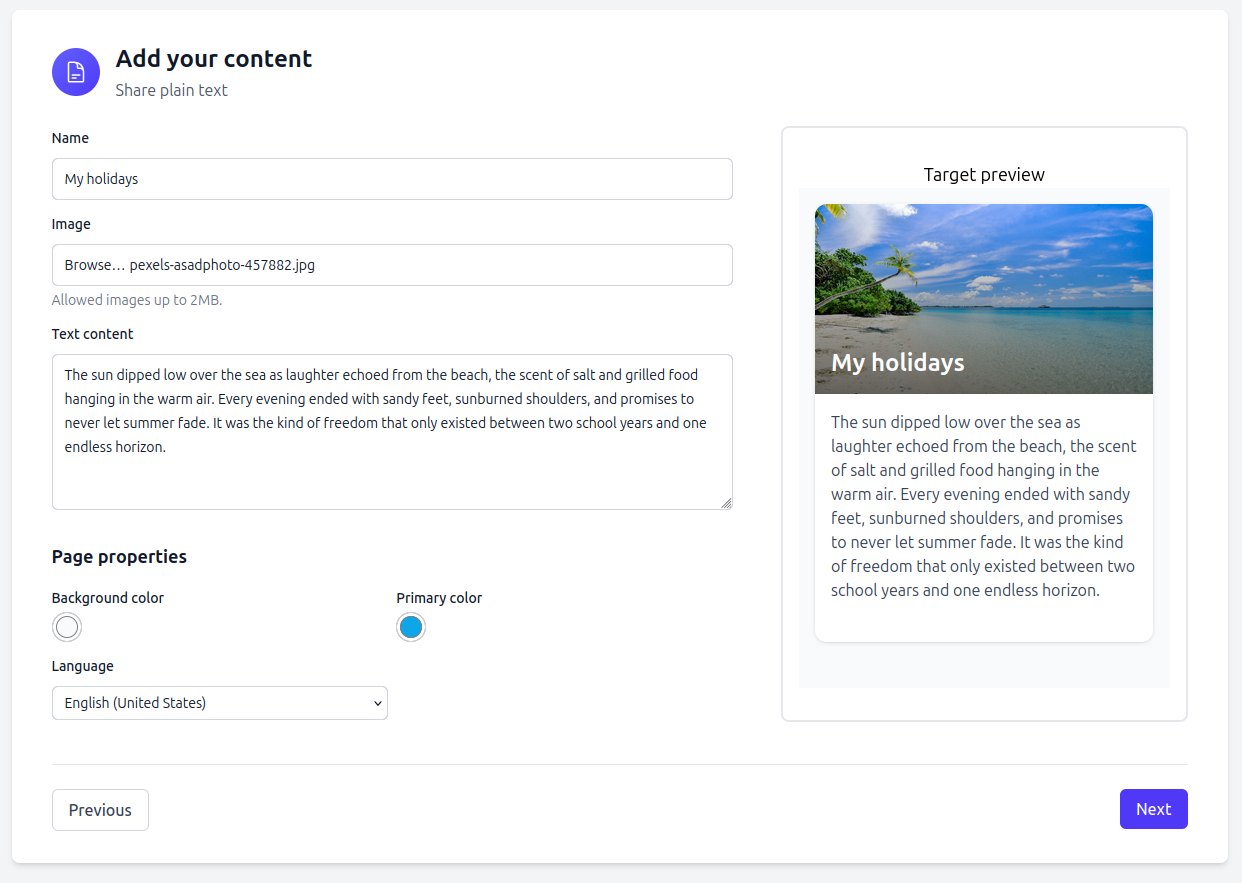
This feature allows you to share short written messages quickly and easily, with nothing more than a smartphone scan. Here is an example after scanning a QR code:

What is a Text QR Code?
A Text QR Code displays a plain text message directly after scanning — such as a quote, short instruction, or important note.
When someone scans your code, they’re automatically redirected to a Twilee-hosted page where your message is displayed in a clean, mobile-friendly format.
This ensures your text is always readable and accessible from any device, while keeping your QR code lightweight and easy to print or share.
How it works
- Create your message — Enter any short text, sentence, or paragraph directly in the Twilee editor.
- Generate your QR code — Twilee instantly creates a unique and public URL hosted on our secure servers.
- Scan & read — When scanned, the message appears instantly in the browser.
Because the message is hosted online, an internet connection is required to load the page — allowing for beautiful formatting and fast delivery.
When to use a Text QR Code
Text QR codes are ideal for:
- Short instructions (e.g., event or workshop details)
- Safety or disclaimer messages
- Quotes, mottos, or reminders
- Internal communication (notes on packaging, office signage, or product labels)
They offer the simplicity of text while benefiting from Twilee’s hosted experience — making your messages accessible anytime, anywhere.
Why use Text QR Codes on Twilee?
- 🧩 Simple yet flexible: Create, edit, and share text instantly.
- ☁️ Hosted & reliable: Your messages live on Twilee servers, always available via a unique public URL.
- ✏️ Customizable: Change your message anytime without regenerating a new QR code.
- 📊 Trackable: Get scan analytics and engagement insights just like any other QR code type.
How to create your Text QR Code
Creating one takes less than a minute:
- Go to your Twilee dashboard
- Choose “Create new QR Code” → “Text”
- Add your text, customize the look, and save
- Download your QR Code or share your hosted page directly
It’s that simple.
Start creating today
Bring clarity and simplicity to your QR experiences.
Whether it’s a motivational quote, quick instruction, or important note, Text QR Codes help you share information in seconds.
👉 Log in to your Twilee dashboard and try the new Text QR Code type now!