Dynamic QR codes
Your QR code manager
Your place to generate and organise your dynamic QR codes.
- Manage All Your QR Codes in One Place
- Effortlessly organize, edit, and track all your dynamic QR codes from a single, user-friendly dashboard. No more scattered links, everything is at your fingertips.
- Generate Dynamic QR Codes for Anything, Including Your Own Files!
- Create QR codes for URLs, text, SMS, calls, vCards, and even upload your own files for instant access. Share information effortlessly in just a scan! Learn more about QR code types here.
- Customize Your QR Code Style
- Make your QR codes stand out by customizing colors, shapes, dots, corners, and adding a custom center image. Save your favorite styles as templates and instantly apply them when creating new QR codes, or use bulk visual design to restyle multiple QR codes at once.
- Team Collaboration Made Easy
- Invite your team, assign roles, and manage QR codes together. Perfect for businesses, marketing teams, and agencies looking to streamline their workflow. Learn more about team collaboration here.
- Track Performance with Advanced Analytics
- Monitor scan volume and locations in real-time. Forward scan events to your Google Analytics 4 property for a unified view of your marketing channels. Make data-driven decisions to optimize your campaigns. Learn more about tracking capabilities here.
- Host Content with Custom Branded Pages
- Create professional hosted pages for events, audio, text, links, and lost & found items. Share beautiful, mobile-optimized pages with unlimited scans, custom branding, and built-in analytics. Discover our hosting capabilities here.
- Powerful Bulk Operations
- Import QR codes in bulk via CSV, apply visual customizations across multiple codes at once, export scan analytics for all your campaigns, and download print-ready images as a ZIP file in your preferred format and size. Learn more about bulk operations here.
- Organize with Tags
- Categorize your QR codes with custom tags for easy filtering and management. Keep your campaigns organized and find what you need instantly. Learn more about tags here.
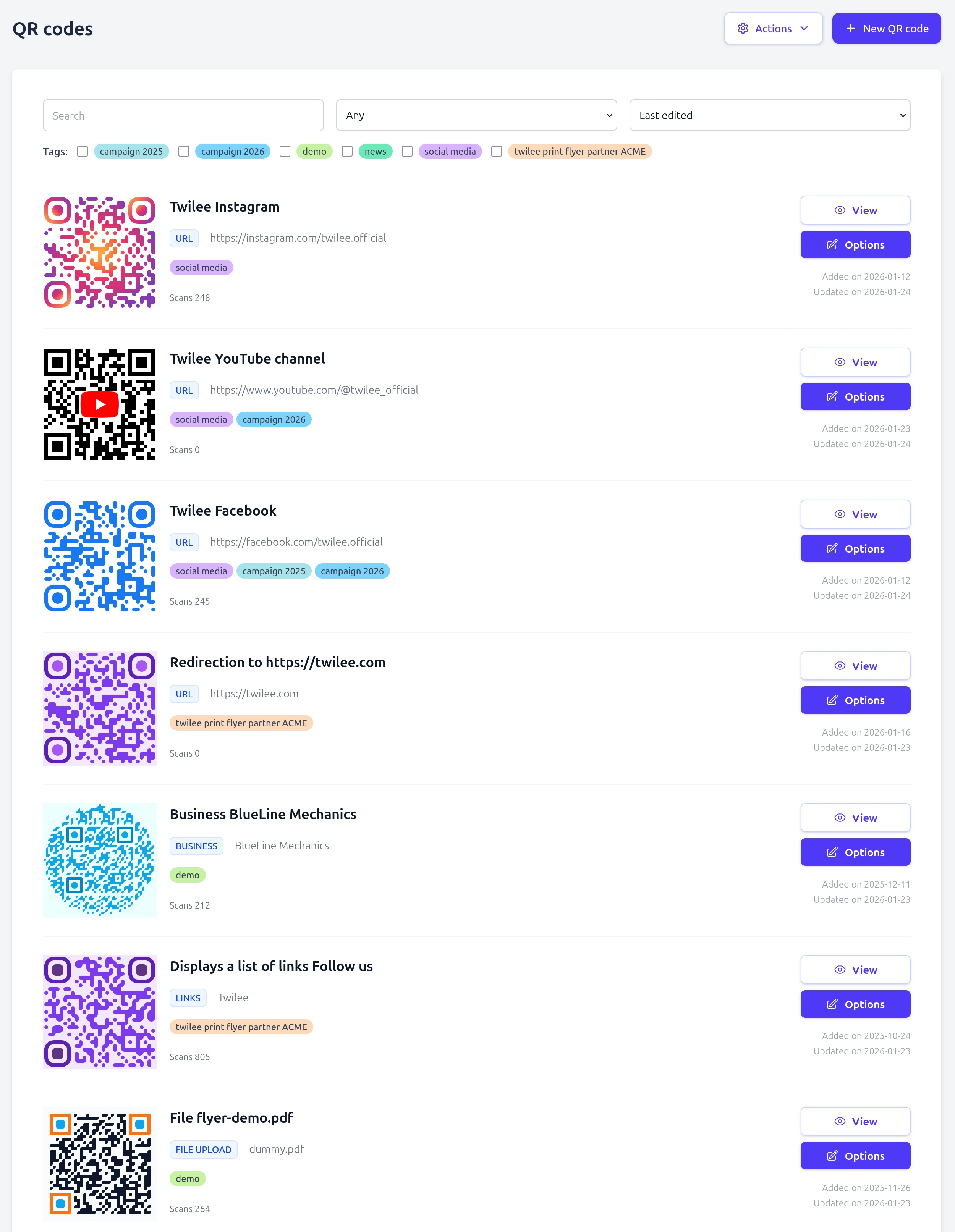
One place for every QR code you print
Twilee is a QR code manager rather than a one-off generator. Every code you create here is dynamic: it routes through a short link you control, so the destination stays editable after printing and every scan is counted on the way through. That single property is what makes the rest of the platform possible.
Around it sit the parts you need once you have more than a handful of codes: hosted pages for content with nowhere else to live, tags and bulk import or export for managing them at volume, team access with roles, an API and MCP server for automation, and analytics that tell you what actually got scanned.
How teams use it
Create
Pick a type, add your content, style the code to match your brand, and download it in PNG, JPG, WebP or SVG.
Publish
Print it or share the link. The pattern is now fixed on paper, but everything behind it stays under your control.
Adjust
Change destinations, fix a typo on a hosted page, or retire a campaign. No reprint, and the analytics keep running across the change.
Common questions
Can I create static QR codes too? ▼
The platform is built around dynamic codes, since that is what makes editing and analytics possible. For a genuinely fixed use case, the free tools section generates static codes in your browser without an account, WiFi codes among them.
Which features come with the free plan? ▼
The free plan covers creating a dynamic QR code with design customization and scan statistics, without a credit card. Paid plans add more codes, more storage, hosted page types, team members, bulk tools and API access. The pricing page lists exactly what sits where.
Is there an API? ▼
Yes. You can create and update QR codes programmatically with an API key from your team settings, and there is an MCP server if you would rather drive Twilee from an AI assistant.
Ready to get started?
Create your first QR code today and experience the power of dynamic QR code management.