Team collaboration
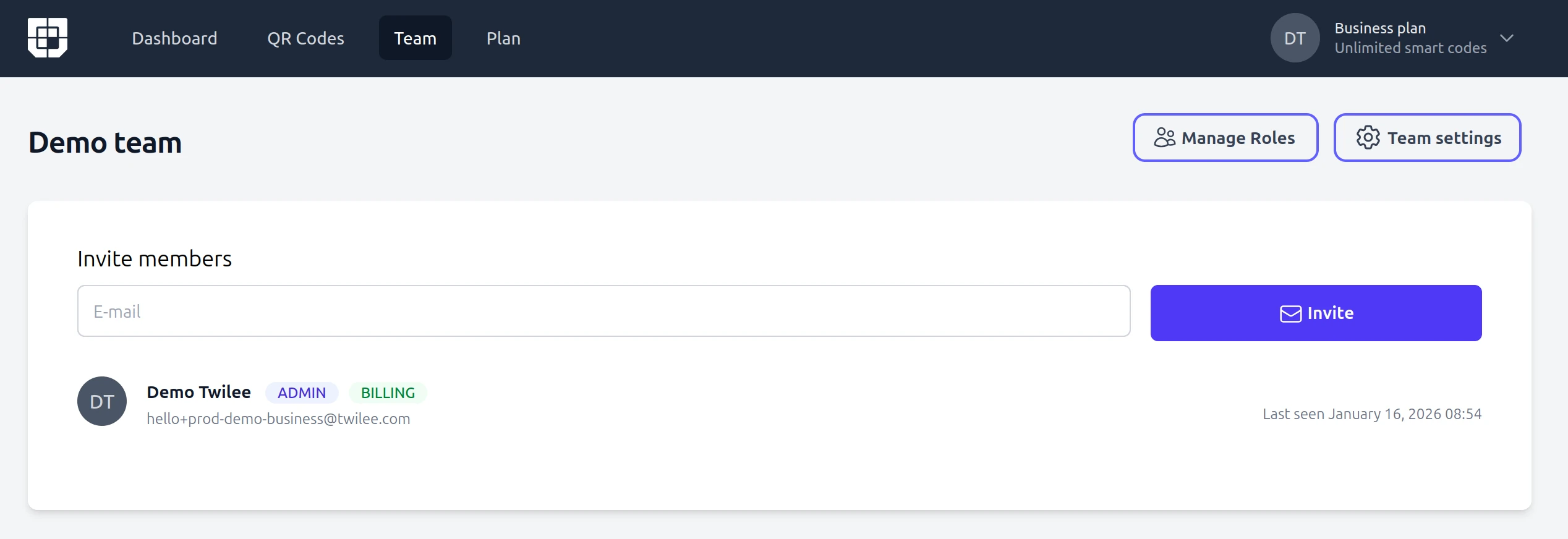
Invite members to your organization
Allow members to manage and consult the QR codes and analytics.
- Collaborate Seamlessly with Team Access
- Easily invite members or collaborators to your account and allow them to generate and manage QR codes under your team. Delegating tasks has never been easier – your invitees gain full control over QR code creation and editing, ensuring smooth workflow and productivity. Rest assured, only the principal account owner maintains exclusive control over the billing and subscription settings, keeping your financial information secure and centralised. Perfect for businesses, agencies, or teams working together on QR code campaigns!
- Role-based permissions to keep your account secure,
- so each team member has the right level of access. Only the account owner controls billing and subscription settings, while collaborators focus on creating and managing QR codes.
- Shared workspace for your entire organisation,
- where every team member can view, edit, and organise QR codes in one place. No more duplicated work or lost assets across scattered accounts.
Frequently asked questions
Common questions about team collaboration features.
How do I invite team members? ▼
Go to the Team section of your dashboard and enter the email address of the person you want to invite. They will receive an invitation email and can join your workspace immediately after accepting.
Is there a limit on how many team members I can add? ▼
The number of team members depends on your plan. Free plans support a single user, while paid plans allow multiple team members. Check the pricing page for details on each plan.
Can team members access billing information? ▼
No. Only the account owner has access to billing, subscription, and payment settings. Team members can create and manage QR codes but cannot view or modify financial information.
Can I remove a team member later? ▼
Yes. You can remove any team member from your workspace at any time through the Team settings. Their access is revoked immediately, and QR codes they created remain in your account.
Bring your team on board
Create your team in minutes, invite members, and manage all your QR codes together in one shared workspace.
No credit card required. Your first team member is one invite away.
Related features
Scan tracking and analytics
See how your team's QR codes perform with real-time scan analytics, geography, and device data.
Bulk operations
Import, export, and update QR codes at scale, so your whole team ships campaigns faster.
Tags
Keep the shared workspace tidy with tags, so every member finds the right QR codes instantly.