Concerts & Shows
Dates, line-up and venue details shared on one mobile-friendly page.
Guests scan, view a beautiful hosted event page on Twilee, and add it to their calendar in one tap. Perfect for concerts, conferences, weddings, sports and more.
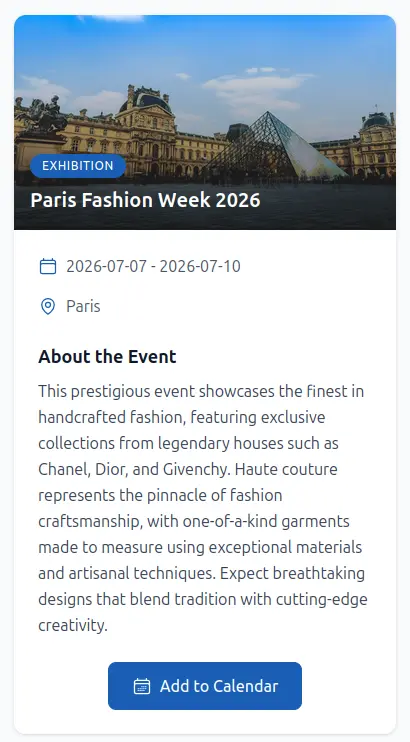
We have woven in fresh Schema.org, Open Graph, and Twitter Card meta tags so every time your event page gets shared it instantly looks polished, professional, and enticing. Stunning thumbnails, descriptive headlines, and clear summaries now travel with your link wherever it goes.
Expect better click-through rates, more attendees, and a brand experience that feels premium before visitors even land on the page.
Tailored messaging and ready-to-share pages for public and private events.
Dates, line-up and venue details shared on one mobile-friendly page.
Schedule, speakers, location and one-tap add-to-calendar.
Location, schedule, dress code and notes for your guests.
Fixtures, meetups, volunteer calls and venue details.
Promotions, pop-ups, store openings and in-store events.
Clubs, lectures, office hours and open days.
Four simple steps from idea to attendees’ calendars.
Enter title, date, time, venue, description and links.
Get a branded QR code that points to your hosted page.
Print on posters or share in emails, socials and tickets.
Attendees scan, see details and add to calendar instantly.
Beautiful pages, calendar integration and real-time insights.
No website? No problem. Twilee hosts fast, mobile-friendly pages with your event details, dates, location and one-tap add-to-calendar.
Integrates with Google, Apple and Outlook calendars so your event never gets forgotten.
Customize colors and add your logo for posters, flyers and tickets.
See scan counts by day, week, month and location to measure engagement.
Why organizers choose Twilee
Launch with free Event QR codes. Unlock branding, unlimited scans and analytics on paid plans.
Answers to common questions about event QR codes and hosted event pages.
Yes. You can start creating event QR codes from the Twilee free plan, with no credit card required at signup. Upgrade when you need unlimited scans, advanced analytics or more event QR codes.
No. Twilee hosts your event page for you. Just share the QR code or the page link, and your audience lands on a polished mobile-friendly event page hosted on twilee.com.
Yes. The hosted event page includes a one-tap Add to Calendar button that generates a standard .ics file, compatible with Google Calendar, Apple Calendar and Outlook.
Event name, an event type label, cover image, start date and time, end date (optional), location, and a description. The Add to Calendar button is generated automatically from your dates and location.
Yes. Update your event page any time and the same QR code keeps pointing to the latest information. No need to reprint anything.
Twilee event pages are display-only. They show your event details and an Add to Calendar button, but they do not collect RSVPs. If you need RSVPs, link to your external registration form from the event description.
Your event QR code stays active as long as your team subscription is active. You can keep the QR code live before, during and after your event, or deactivate it from your dashboard at any time.
Not on event QR codes. Twilee has a separate Photo Gallery QR code type built for collecting and displaying event photos. You can use a Photo Gallery code alongside your event QR code if you need both.
Yes. Every event QR code scan is captured with country, city, device and timeline data. Learn more about QR code tracking. Advanced analytics windows are available on paid plans.