Podcasters & Creators
Share episodes, bonus content, behind-the-scenes clips and teasers with listeners.
Create hosted audio pages with embedded players for podcasts, music, voice messages, audio guides and more. One scan plays your audio on any device.
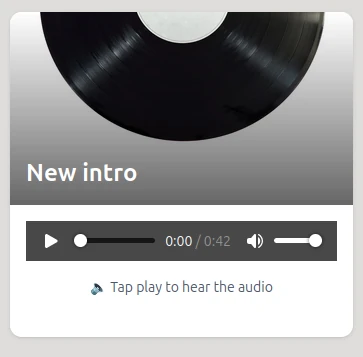
We use the HTML5 native audio player built into every browser: no custom JavaScript libraries, no bloated code. Just fast, lightweight, and reliable playback that works instantly on every device.
Native browser players offer better performance, longer battery life, and built-in accessibility. Users get the controls they already know, with seamless integration into their device's media system including lock screen controls and hardware buttons.
From podcasts to property tours, share audio professionally.
Share episodes, bonus content, behind-the-scenes clips and teasers with listeners.
Let fans preview tracks, demos, live recordings and album samples instantly.
Provide audio guides for exhibits, landmarks, galleries and walking tours.
Share lectures, language lessons, pronunciations and educational recordings.
Add audio property descriptions, neighborhood tours and seller messages.
Send personal greetings, announcements, testimonials and recorded messages.
From upload to sharing, launch your audio page in minutes.
Upload your audio file in MP3, M4A, WAV, OGG, FLAC, AAC, Opus, or WebM format.
Add title, description with rich text formatting, artwork and choose your theme colors.
Get your branded QR code linking to your hosted audio page.
Print or share digitally: listeners play instantly with one scan.
A QR code cannot store an audio file by itself: even the densest code holds barely 3 KB, while one minute of MP3 weighs about 1 MB. Twilee solves this differently. Your file is uploaded to a hosted audio page with a built-in player, and the QR code links to that page. Anyone who scans it gets instant playback in the browser, with nothing to install.
Because the QR code is dynamic, the audio behind it stays editable. Swap the MP3, fix a recording, or change the artwork whenever you like: the printed code never changes. Twilee accepts MP3, M4A, WAV, OGG, FLAC, AAC, Opus, and WebM files and optimizes them for streaming on every device.
Embedded players, reliable streaming and analytics built-in.
Fast, mobile-friendly pages with embedded players, no website or hosting needed.
Beautiful player with full controls that works perfectly on all devices and browsers.
Upload MP3, M4A, WAV, OGG, FLAC, AAC, Opus, or WebM files. We optimize them for fast, reliable streaming.
Track plays, scan locations, and listener behavior with detailed analytics.
Why creators choose audio QR codes
Launch with free audio QR codes. Unlock custom branding and unlimited plays on paid plans.
Common questions about audio QR codes and hosted pages.
We support MP3, M4A, WAV, OGG, FLAC, AAC, Opus, and WebM audio files. We automatically optimize them for streaming on all devices.
Free plans support up to 1MB per file. Paid plans support up to 100MB, enough for long podcasts or high-quality music.
Yes! Update your audio anytime and changes appear instantly, no need to reprint your QR codes.
Yes! Thanks to the native HTML5 browser player, you can cast audio to any connected external speaker. For example, iPhone users can stream directly to HomePod or AirPlay-compatible devices.
Yes. Scanning the code opens a hosted page that streams your track in the browser, on iPhone and Android alike. Musicians use it on posters, album inserts, and merch to link a physical object straight to their music.
Upload the MP3 to Twilee, customize the audio page with a title and artwork, and download the generated QR code as an image. The whole process takes about two minutes, and the code can be printed at any size.
Yes. The free plan includes audio hosting for files up to 1MB, roughly one minute of standard MP3, with no credit card required. Paid plans raise the limit to 100MB for full songs and podcast episodes.