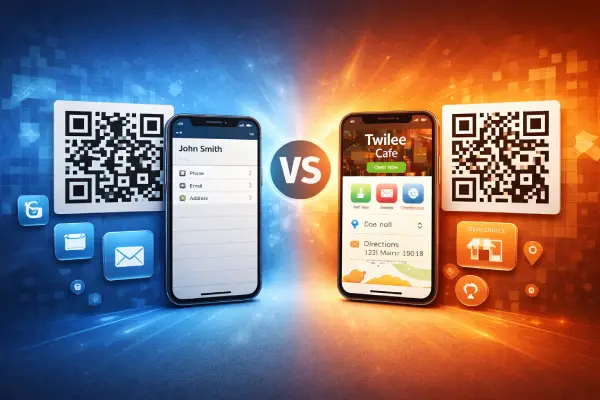
vCard vs Business QR Codes: Which One Should You Use?

Two QR code types, two very different experiences. Both share contact information, but they work in completely different ways. Here's how to choose the right one.
How They Work
vCard QR codes trigger a direct download. When someone scans, a contact file (.vcf) is saved to their phone. They tap to add it to their contacts—done. No page to visit.
Business QR codes open a hosted page on Twilee. Visitors see a branded page with your business details, opening hours, and one-tap buttons to call, email, or get directions.
What You Can Include
| Feature | vCard | Business |
|---|---|---|
| Name | ✓ | ✓ (Business name) |
| Phone | ✓ | ✓ + one-tap call |
| ✓ | ✓ + one-tap email | |
| Address | ✓ | ✓ + one-tap directions |
| Website | ✓ | ✓ |
| Organisation & title | ✓ | — |
| Opening hours | — | ✓ |
| Description (rich text) | — | ✓ |
| Logo & header image | — | ✓ |
| Social media links | — | ✓ |
| Map embed | — | ✓ |
When to Use vCard
Choose vCard when you want contacts saved directly to someone's phone. It's ideal for:
- Business cards – Hand someone your card, they scan, and your details go straight into their contacts.
- Networking events – Fast, offline-friendly, no browsing required.
- Personal use – Share your personal contact details simply.
The vCard is about the person. It saves an individual contact with name, phone, email, and address.
When to Use Business
Choose Business when you want to showcase your business with a professional page. It's ideal for:
- Storefronts & shop windows – Display hours, location, and contact info for passersby.
- Restaurants & cafés – Show opening hours and let customers call or find you with one tap.
- Service providers – Present your business professionally with branding and a description.
- Print materials – Flyers, posters, and brochures that need updateable information.
The Business type is about the place. It presents a business with hours, branding, and interactive actions.
Both Are Dynamic
Good news: both types are dynamic QR codes on Twilee. Change your phone number or update your address, and the QR code will always reflect the latest information—no reprinting needed.
The difference is in the experience. vCard delivers a contact file directly. Business presents a branded page with interactive features.
Quick Decision Guide
Use vCard if:
- You're sharing personal contact details
- You want contacts saved directly to phones
- The information won't change
- You don't need branding or opening hours
Use Business if:
- You're representing a business or location
- You want a branded, professional page
- You need opening hours displayed
- You want one-tap actions (call, directions, email)
- You want visitors to see a visual experience before saving contact info
Get Started
Both types are available on all Twilee plans. Create your first QR code in seconds: